Screenshot ToolReimagined
Capture, annotate, and export stunning screenshots with a cinematic UI. Lightweight, fast, and beautifully designed for Windows.
Built with ❤️ by ClaudeKit within a day
A nano project from NextLevelBuilder Core Team
See It In Action
Watch how easy it is to capture and edit stunning screenshots with WinShot's intuitive interface.
Everything You Need,
Nothing You Don't
A complete screenshot toolkit with powerful capture, annotation, and export features. No bloat, no subscriptions, no learning curve.
Capture
Multiple ways to capture
Fullscreen
All displays in one image
Region
Custom rectangle selection
Window
Auto-detect active window
Hotkeys
Global shortcuts
Annotate
Rich annotation tools
Shapes
Rectangle, ellipse, fill/stroke
Arrows
Directional callouts
Text
Custom font, size, color
Transform
Move, resize, rotate
Edit
Powerful editing
Non-destructive Crop
Adjust without losing data
Aspect Ratios
16:9, 4:3, 1:1, and more
24 Gradients
Vibrant background presets
Real-time Preview
See changes instantly
Export
Flexible export options
PNG & JPEG
Lossless or quality-controlled
Output Ratios
9 presets for platforms
Quick Save
Auto-naming to folder
Background Control
Include or exclude
System
Seamless integration
System Tray
Quick taskbar access
Global Hotkeys
Customizable shortcuts
Auto-start
Launch on Windows startup
Settings Sync
Persistent preferences
Crafted with
Obsessive Detail
Every pixel matters. See how WinShot combines powerful features with a beautiful, intuitive interface.
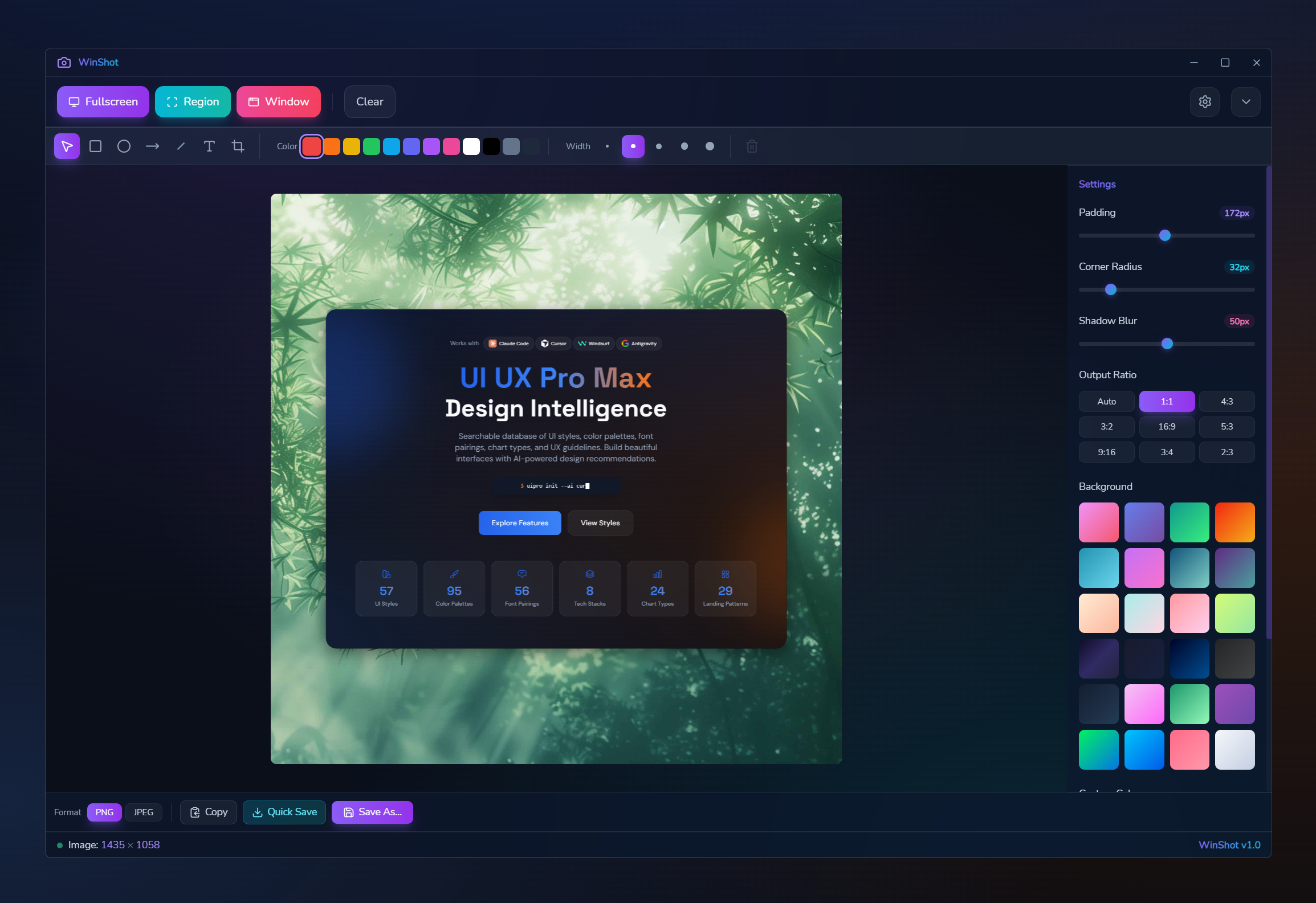
WinShot Editor
Beautiful screenshot editor with cinematic design
Screenshot placeholder
Editor Interface
Full-featured editor with intuitive controls
Screenshot placeholder
Region Capture
Precise selection with resize handles
Screenshot placeholder
Gradient Backgrounds
24 vibrant preset backgrounds
Screenshot placeholder
Export Options
PNG/JPEG with quality control
Screenshot placeholder
Annotation Tools
Shapes, arrows, text, and more
Screenshot placeholder
Settings Panel
Customize hotkeys and export
Replace placeholders in public/images/screenshots/
Built with Modern Tech
Powered by Wails for native performance with a web-based UI
Ready to Capture?
Download WinShot and start creating beautiful screenshots. Free, open source, and crafted with obsessive attention to detail.
Built withby
WinShot was built in a day using ClaudeKit - the ultimate toolkit for AI-assisted development. From planning to deployment, ClaudeKit accelerates your workflow.